Very recently due to the high usage, whatapp is eating up lots of media storage, cleaning up the memory is becoming a painful task. I was looking for an option to delete media alone from specific groups. This will help in keeping all the chats intact but removing the media which is taking lots of memory space.
Here is the simple way to remove selected media from selected whatsapp groups.
Step 1.
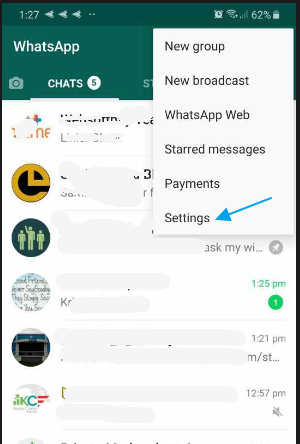
Login to Whatsapp, click on … (three vertical dots) and select settings.
Step 2 .
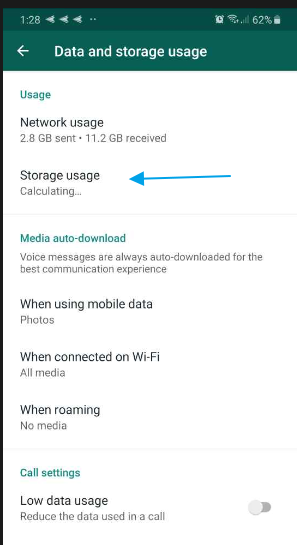
Select Data and storage usage.

Step 3
Select storage usage.
Step 4
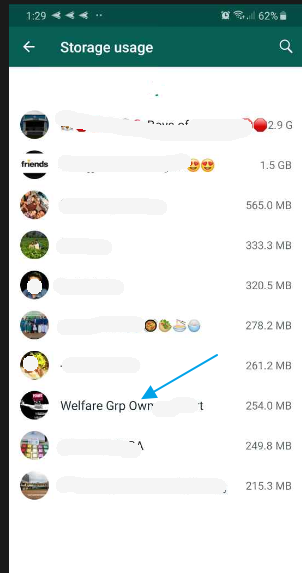
Now select the group which you need to clean and then click on ‘clean up’
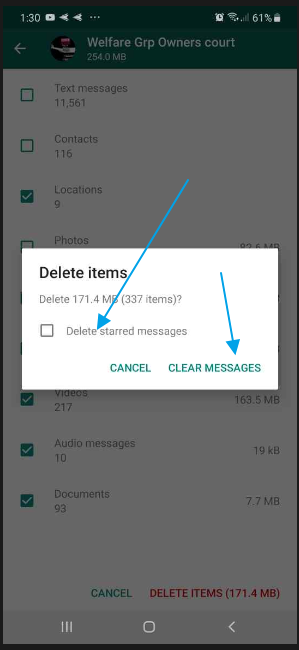
Make sure you select only the photos or videos or what ever media you want to delete.
Un-select text message so that all the text messages will not be deleted from the group.


Step 5
Confirm the activity and you can select ‘delete starred message’ if you want to delete all starred messages from the group.