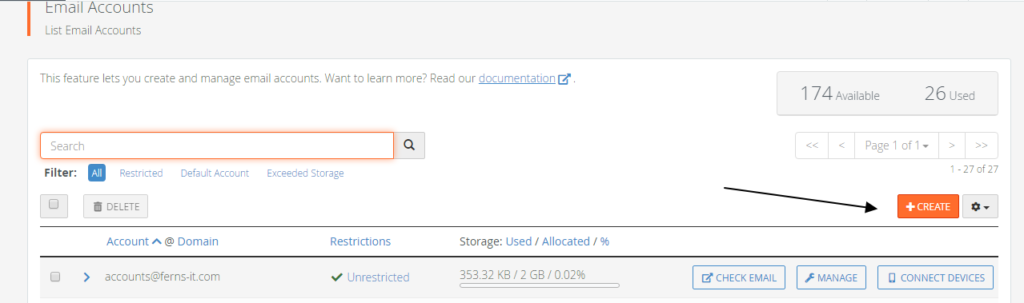
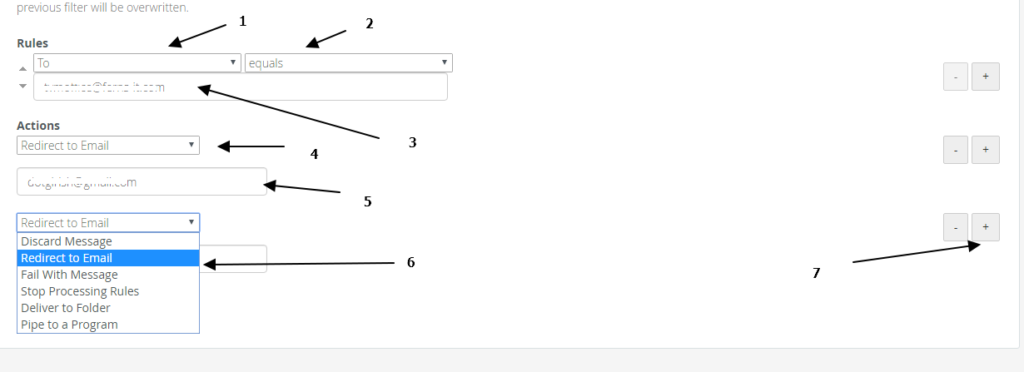
If you are using a cpanel based email, here is a way to create a DL just like in microsoft exchange servers.
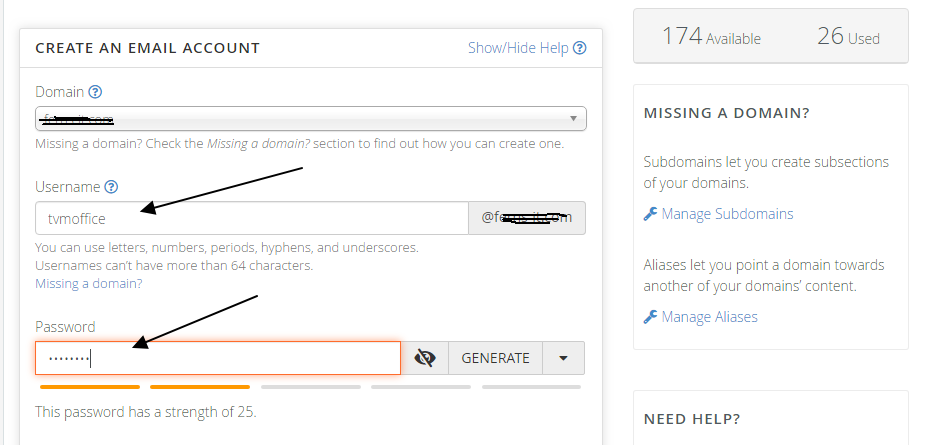
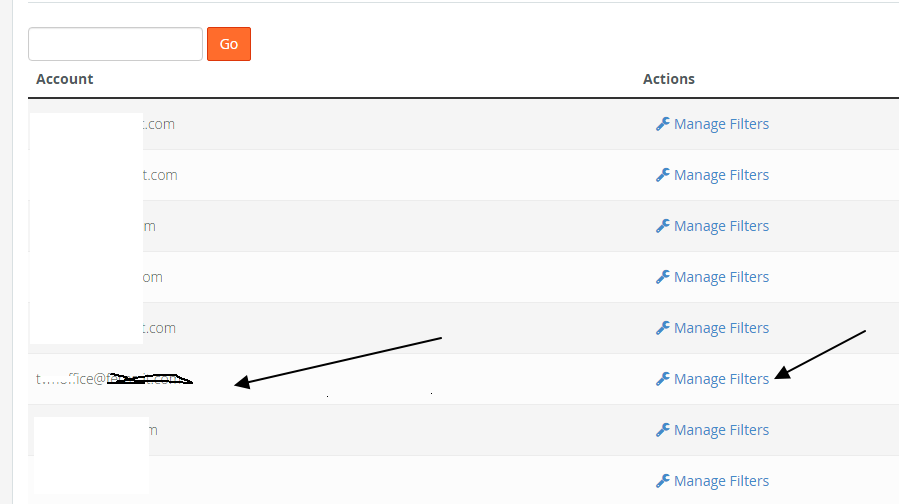
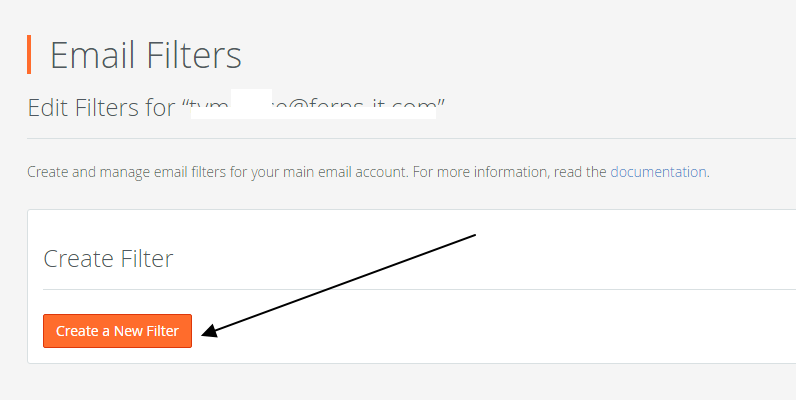
Create email account which is supposed to be our distribution list. example allstaff@company.comClick on email filter , and select the earlier created email distribution list.Click on manage filter near to the email id we have created.Click on create new filter
Give the filter name as the email id itself, In rules , change to “to” , “equals” and add the email id we have created.
In action select redirect to email and then give the email to which it has to be forwarded.
We can give multiple email by selecting the “+” sign on right.
A highly accomplished and strategic Senior IT Leader with over 20 + years of experience in the demanding investment banking sector. I specialize in leading and transforming complex enterprise technology functions, with a core focus on Enterprise Data Management and IT Security.
In my senior management capacity, I direct technical teams across critical platforms, including Big Data, Enterprise Reporting, ETL tools, and comprehensive IT Security & Access Management initiatives. My expertise spans the complete lifecycle of technology infrastructure—from fundamental access management and reporting to sophisticated Big Data and ETL integration.
I am dedicated to driving technological excellence, securing corporate assets, and leveraging data to achieve superior business outcomes.
Personal Note: Outside of executive responsibilities, I find rejuvenation in the art of cooking and the exploration that comes with traveling.