Following are the steps for installing wordpress and setting up multiple domains on single server. Good thing is cloudways charge per server so it becomes very economical.
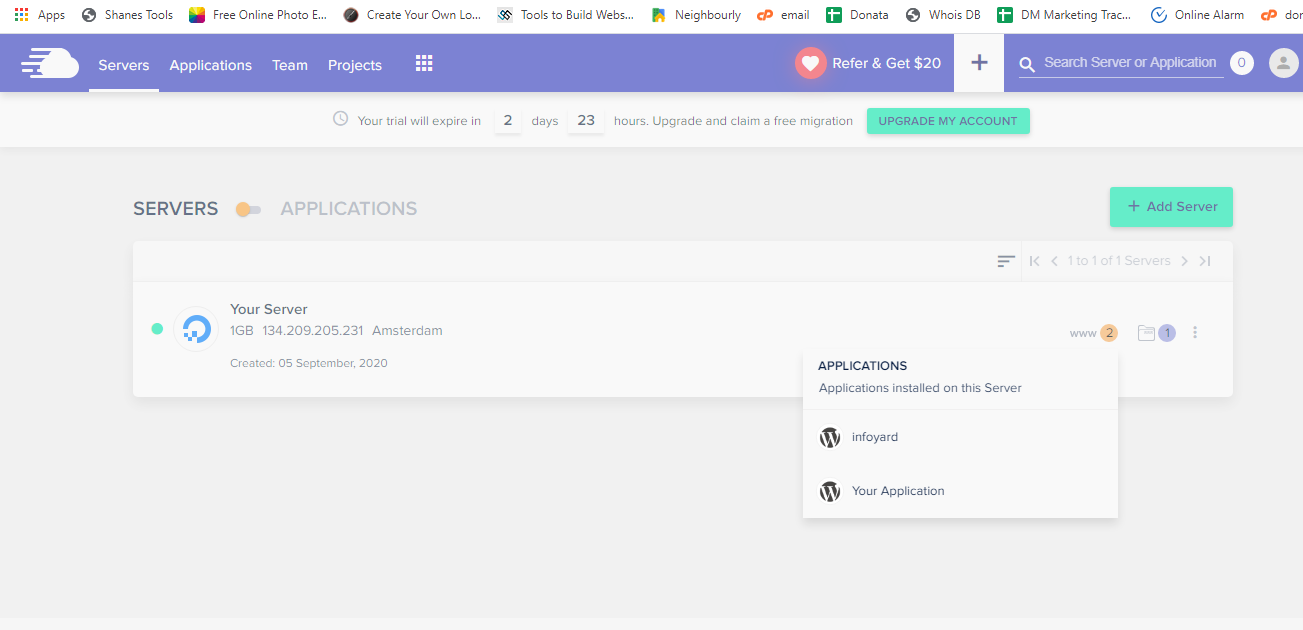
Click on yellow color icon – www

Click “+” and select add application. This will add application to the selected server.
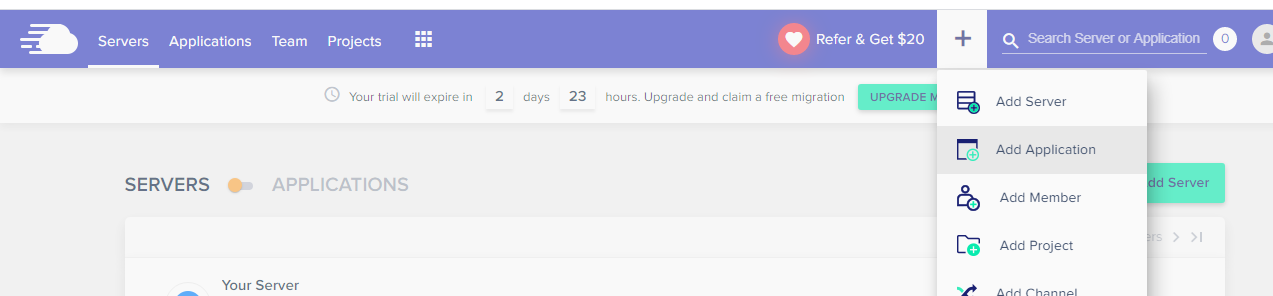
Select your server and click add application.
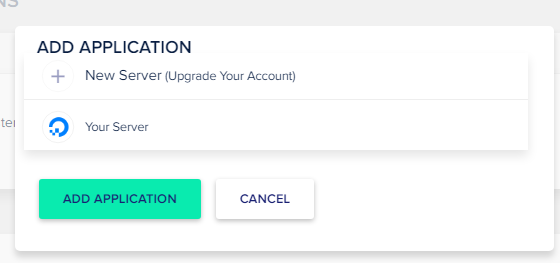
Select the application and give a name and click add application. In this case we selected wordpress 5.4.2
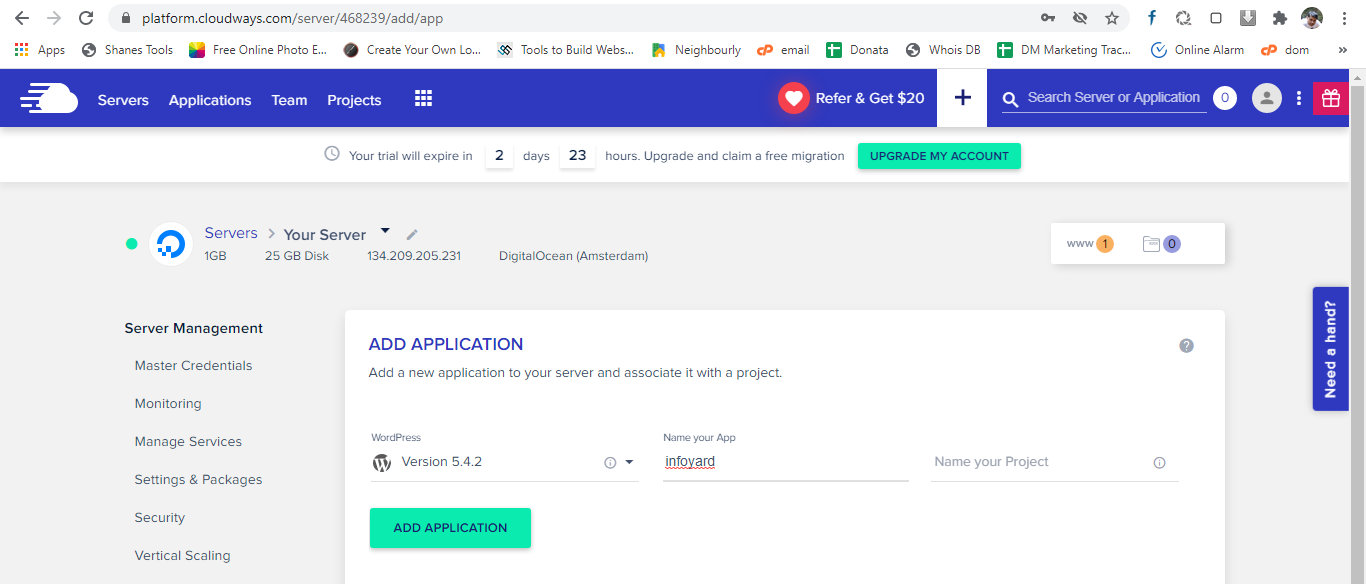
Now it may take few minutes to install the applications. Please wait.
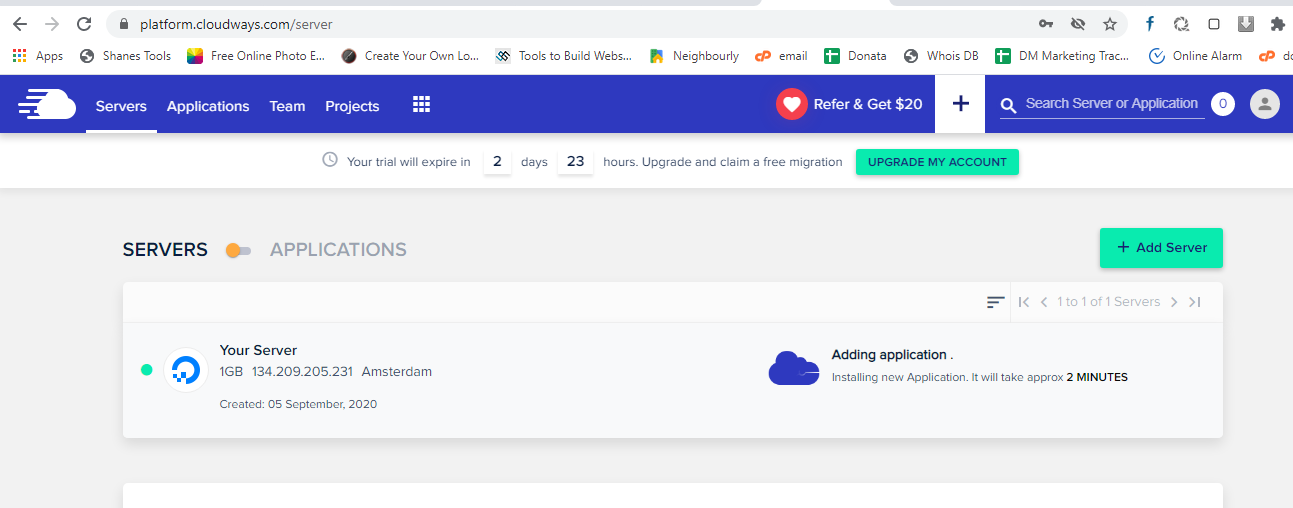
Once it is installed, select your application by clicking near that yellow icon – www.
DNS Configuration.
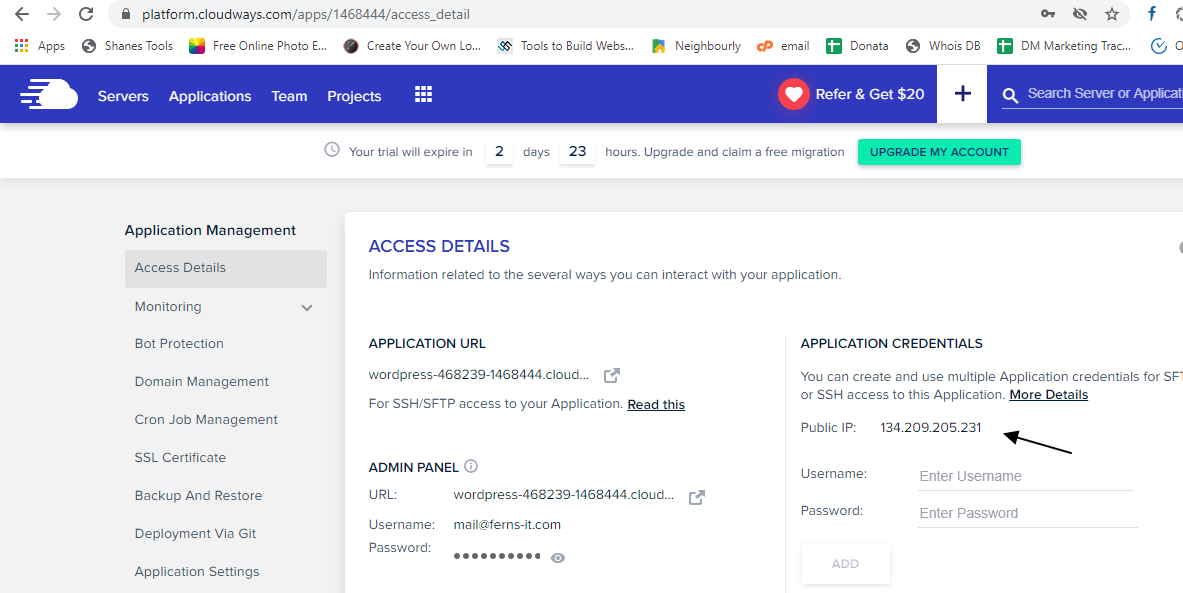
Before we move on to DNS config copy the Public IP by going to access details page of the application.
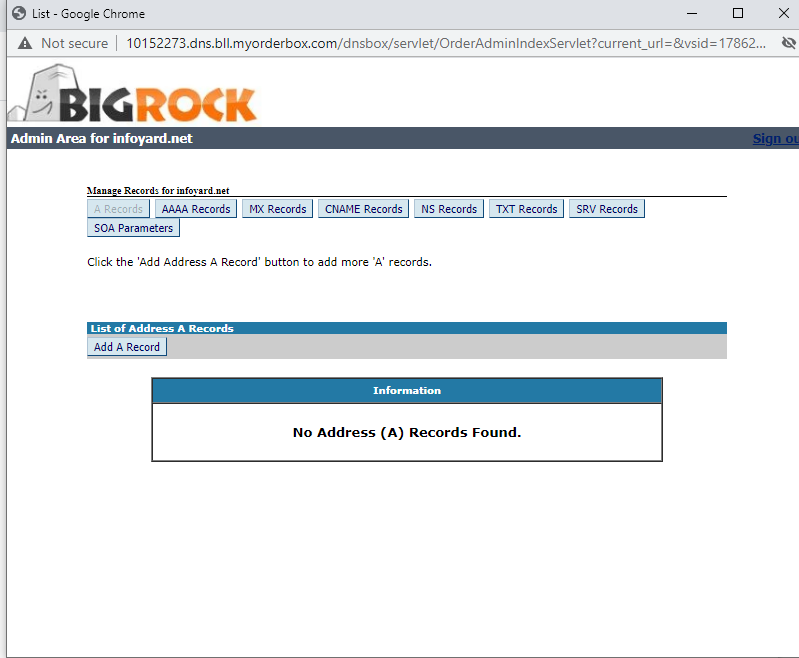
Not go to the domain registrar , make sure Name server is default and then click on DNS Management.

Create a new ‘A’ record as below using the IP we have copied.

Now go to Domain Management in Cloudways and add your primary domain name for this wordpress installation.

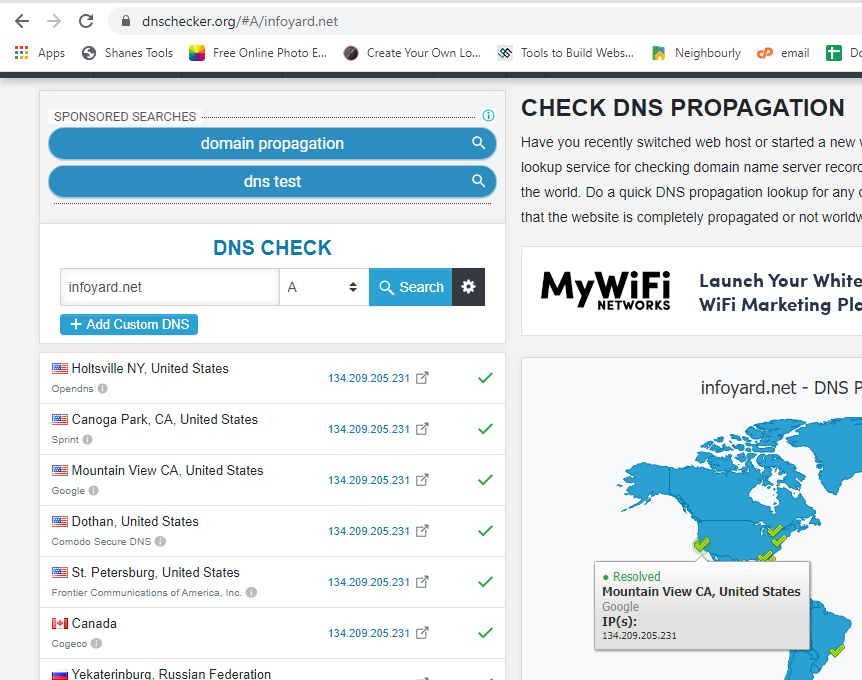
Now it is time to see whether our DNS is correctly propagated. You can use dnschecker.org for this.
You can see in the first screen it is not propagated and after some time it starts propagating. It may take 5-20 mins.
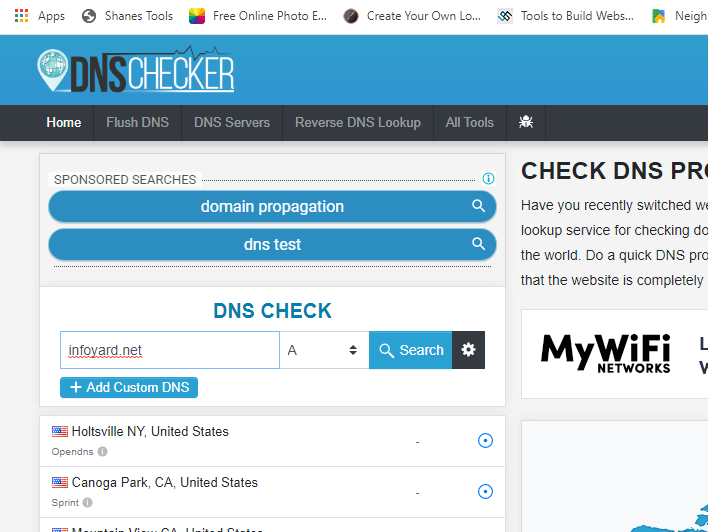
Started propagating now…
SSL Config
Now it is time to do the SSL installation using LetsEncrypt.
Click SSL certificate in cloudways UI.
enter email and domain and also select Apply wildcard.
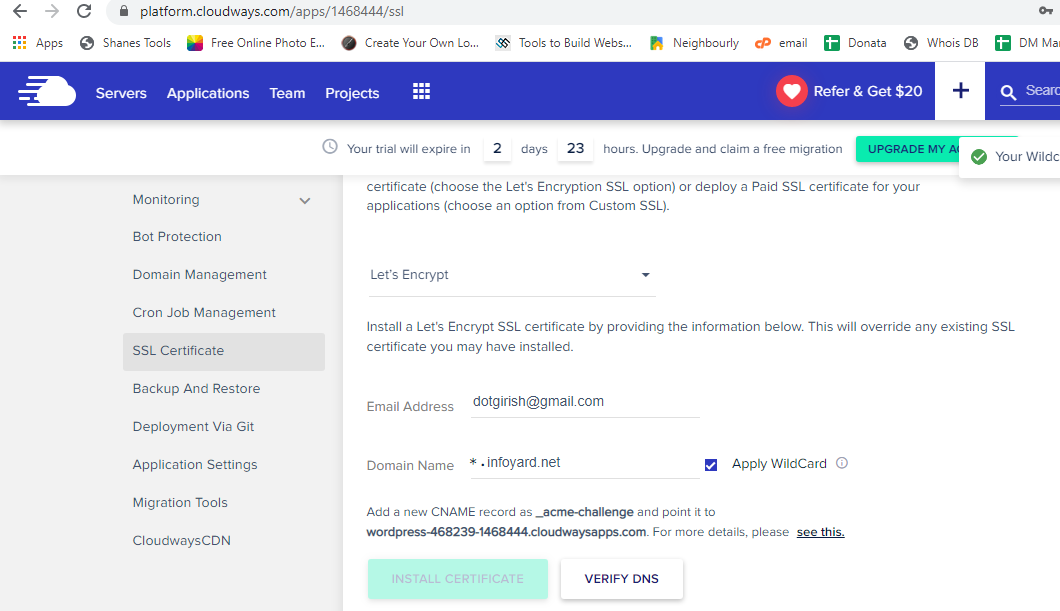
Now we need to create a CNAME in domain registrar .
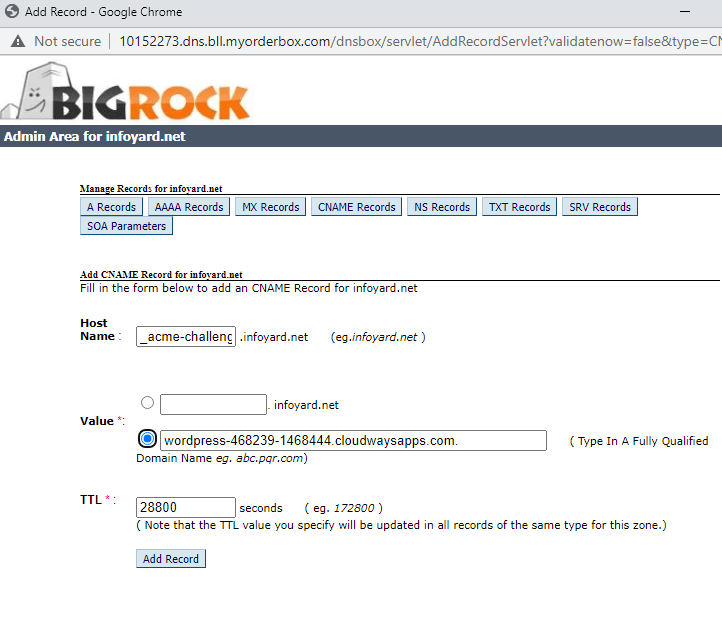
Come to domain registrar website , click on DNS and create CNAME entry as below.
Copy the _acme-challenge from cloudways and paste it in Host session
and the URL provided in cloudways as shown below. Make sure the ‘.’ is not missed at the end of the url.
Now click on verify DNS , mostly it take 5-20 mins to propagate .
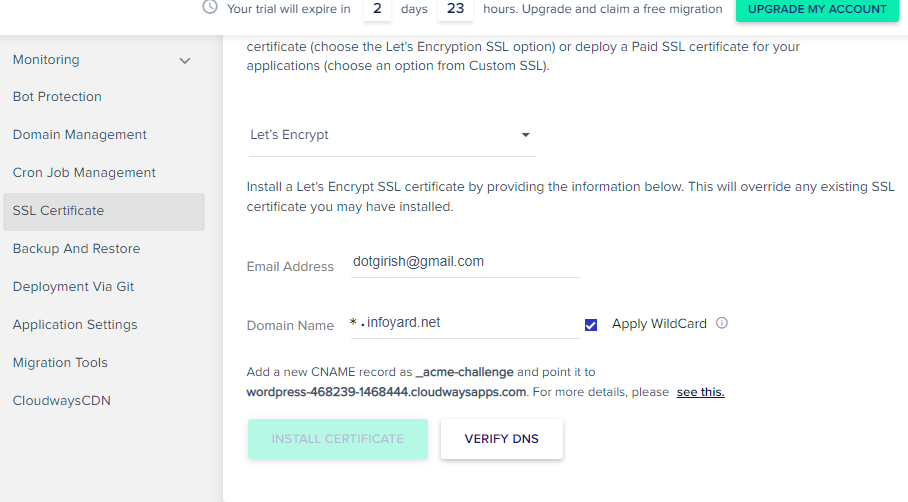
Till the value is propagated you will get below error.

You can check the propagation as below in dnschecker.org , click on small “gear” icon and give the expected value.

Once DNS is verified , you can click on Install Certificate.

Click on Enable HTTPS to enable SSL.

Repeat the steps for another application or domain on same server.
Video
Hope this helps.